Ask a question about your drawings
Once your set is in, you can ask it questions in plain English and get an answer with citations that link straight to the sheet the answer came from. This is what separates Arch Grid from a folder of PDFs.
- 1
Open the Ask panel
From anywhere in a project, press
Cmd+K(Mac) orCtrl+K(Windows), then click the Ask tab. It automatically scopes to the project you're in.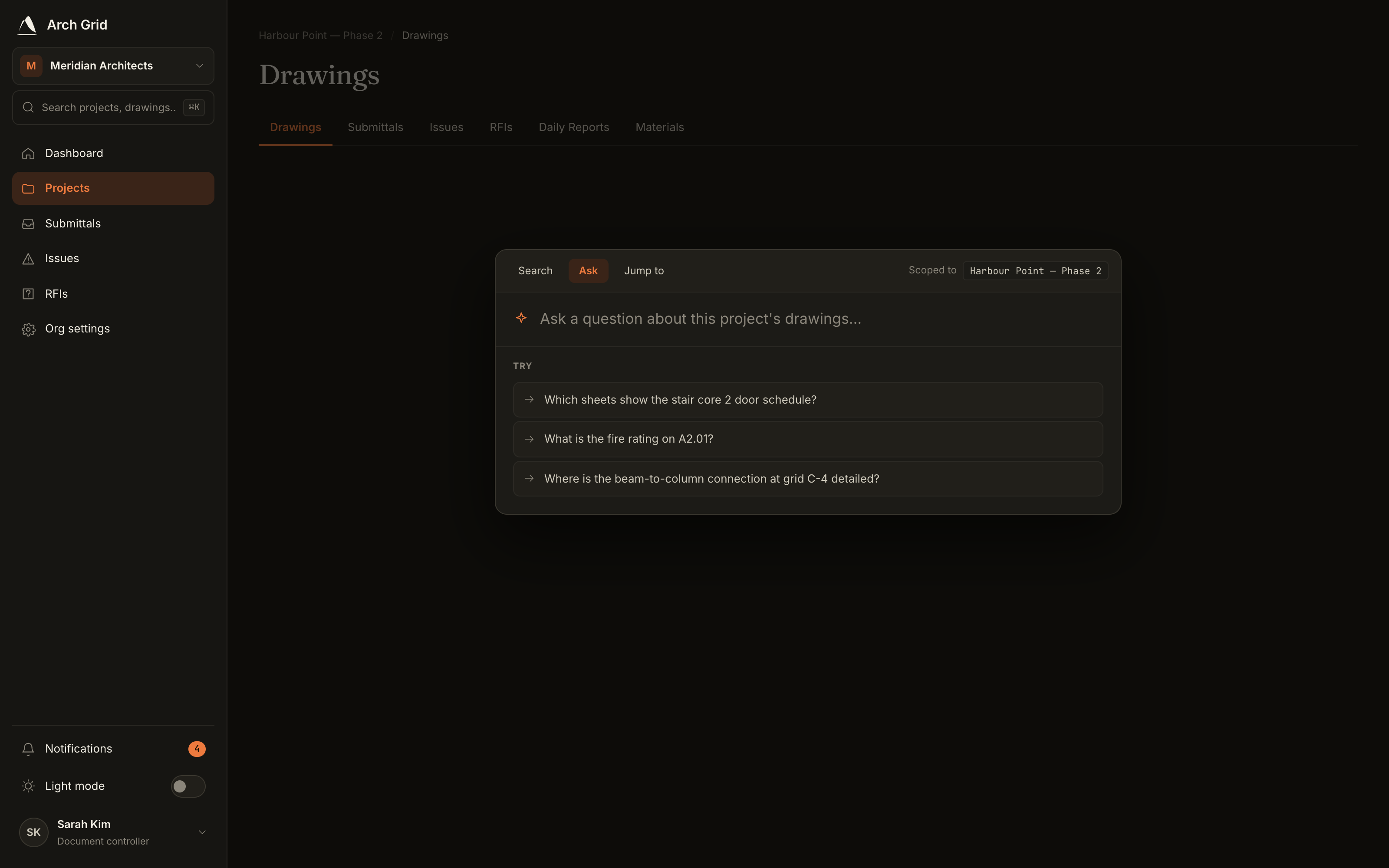
The Ask tab, scoped to the current project. - 2
Ask a plain-English question
Type a question like *What's the fire rating on A-101?* or *List all door types and their ratings*, then press Enter or click Get the answer. A few example questions are offered to get you started.
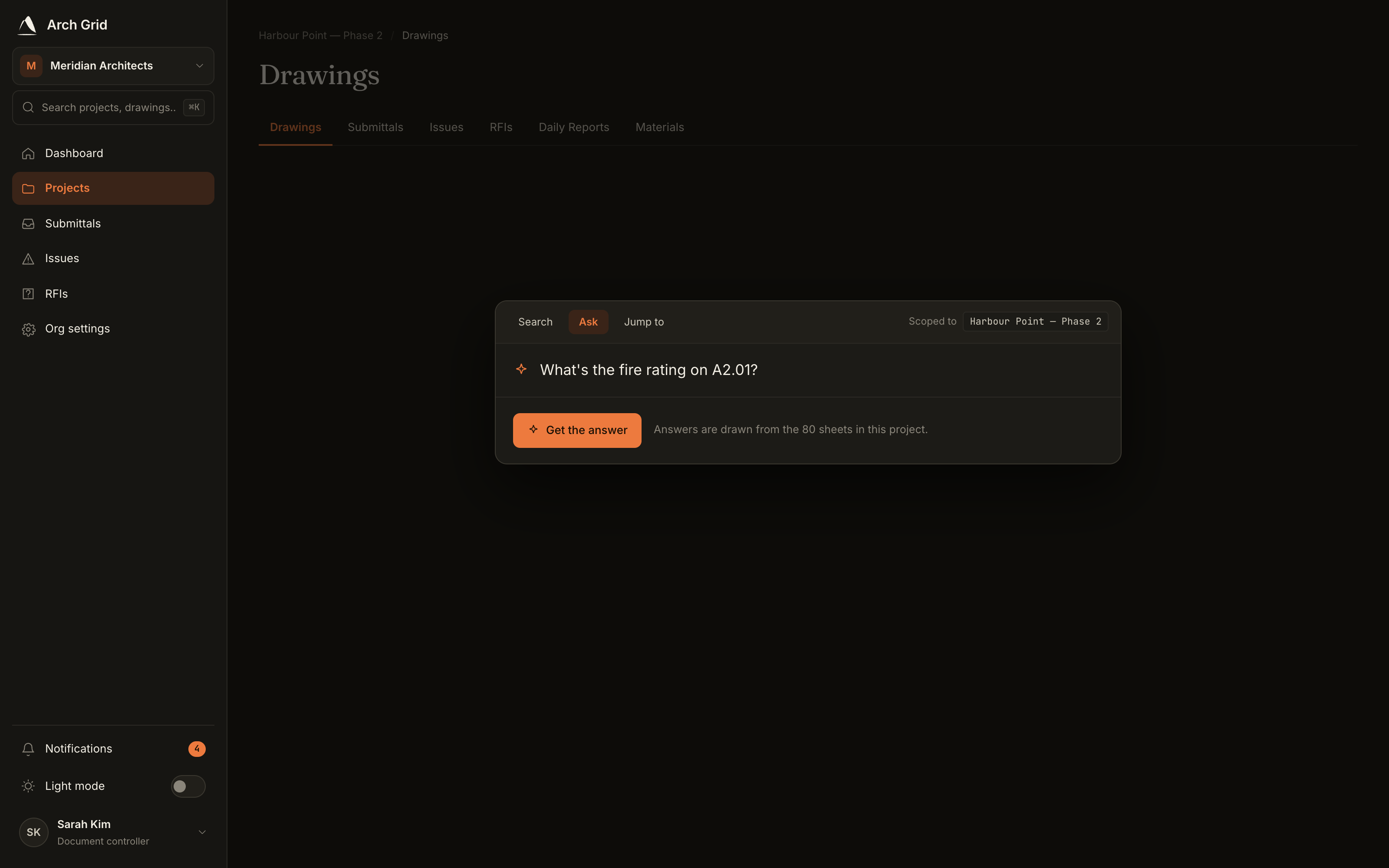
Typing a question into the Ask panel. NoteAsk reads the born-digital text in your drawings only. It answers about one project at a time and won't invent details it can't find in the set. - 3
Read the cited answer
The answer appears with a Sources list underneath. Each source is a chip like
A-101, p.12showing exactly which sheet and page the answer is grounded in.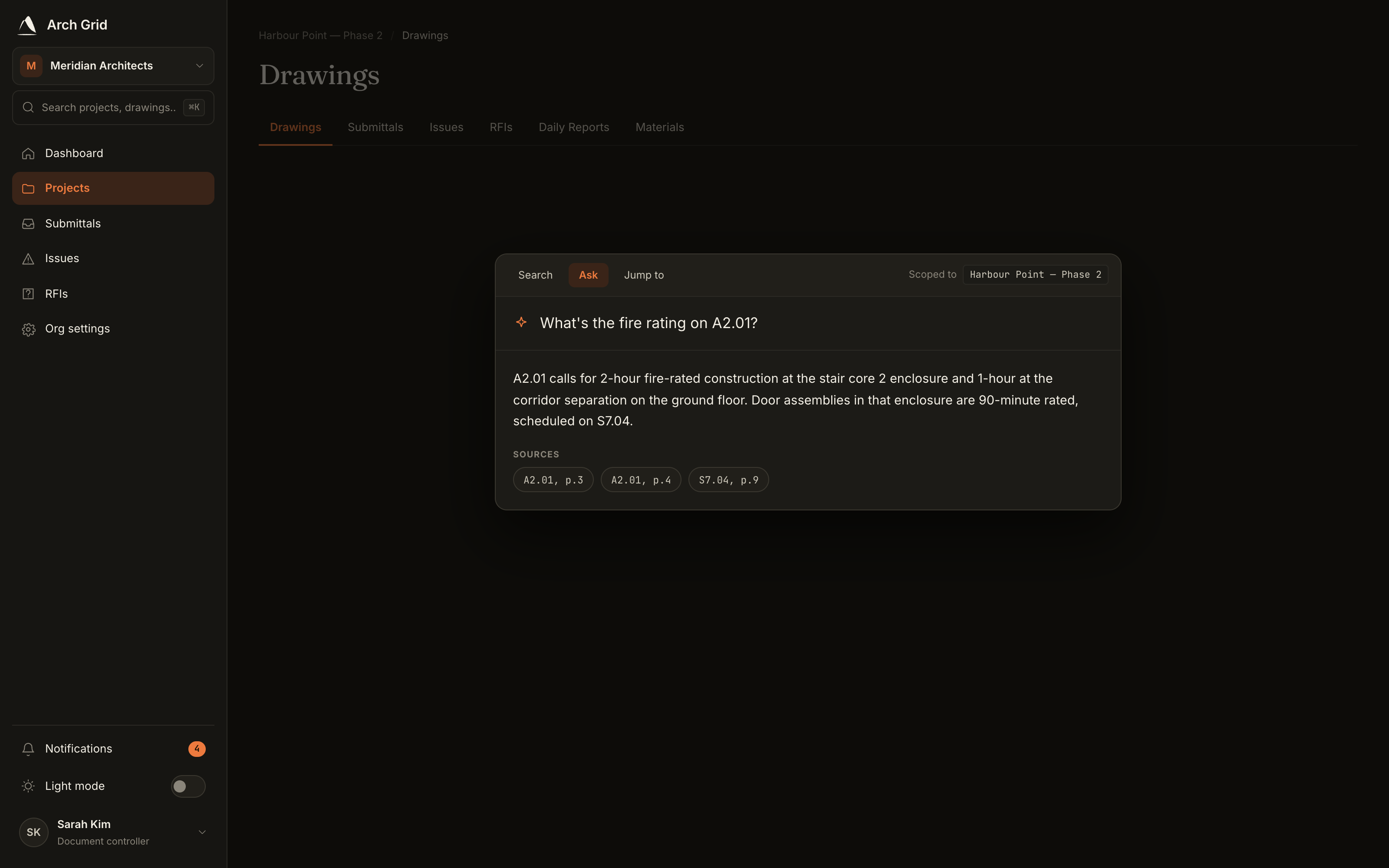
An answer with its source citations. - 4
Jump to the exact sheet
Click any source chip to open that drawing at the right page, with the cited region highlighted on the sheet. Your recent answers are saved per project, so you can reopen them instantly.