Upload a drawing set with burst import
Instead of splitting a combined PDF page by page, drop the whole set into Arch Grid and it becomes one drawing per sheet, numbered and titled from each sheet's own title block. Getting your real drawings in is the single biggest step toward getting value from the trial.
- 1
Open Drawings and pick a folder
From your project, open Drawings. Drawings live in folders such as
ArchitecturalorStructural. Open the folder you want the set to land in, or create a new one. The whole set imports into this single folder.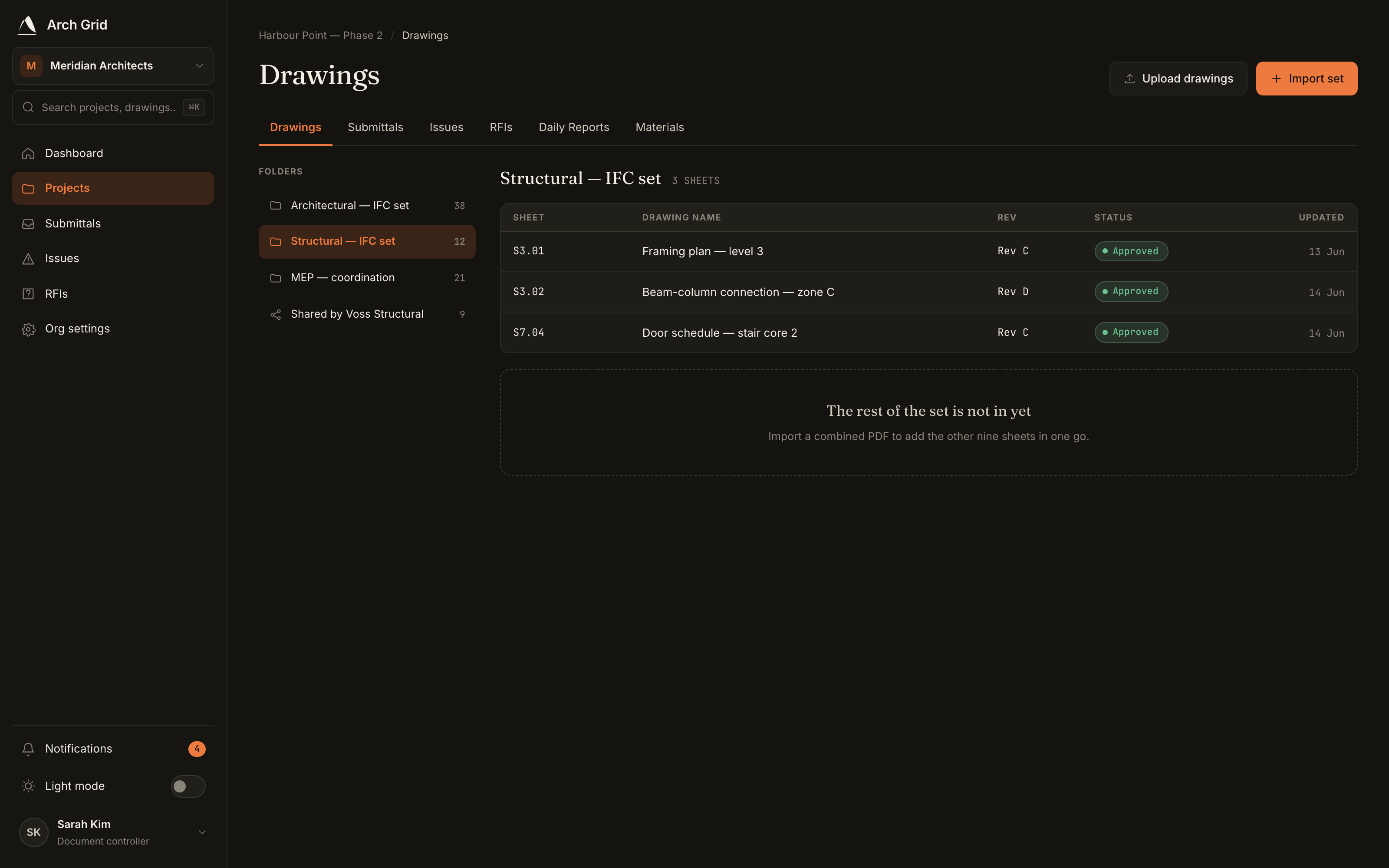
The Drawings browser with the folder tree. - 2
Start the import
In the toolbar, click Import set. The dialog is headed Import a drawing set with the note *Split a combined PDF into one drawing per sheet*.
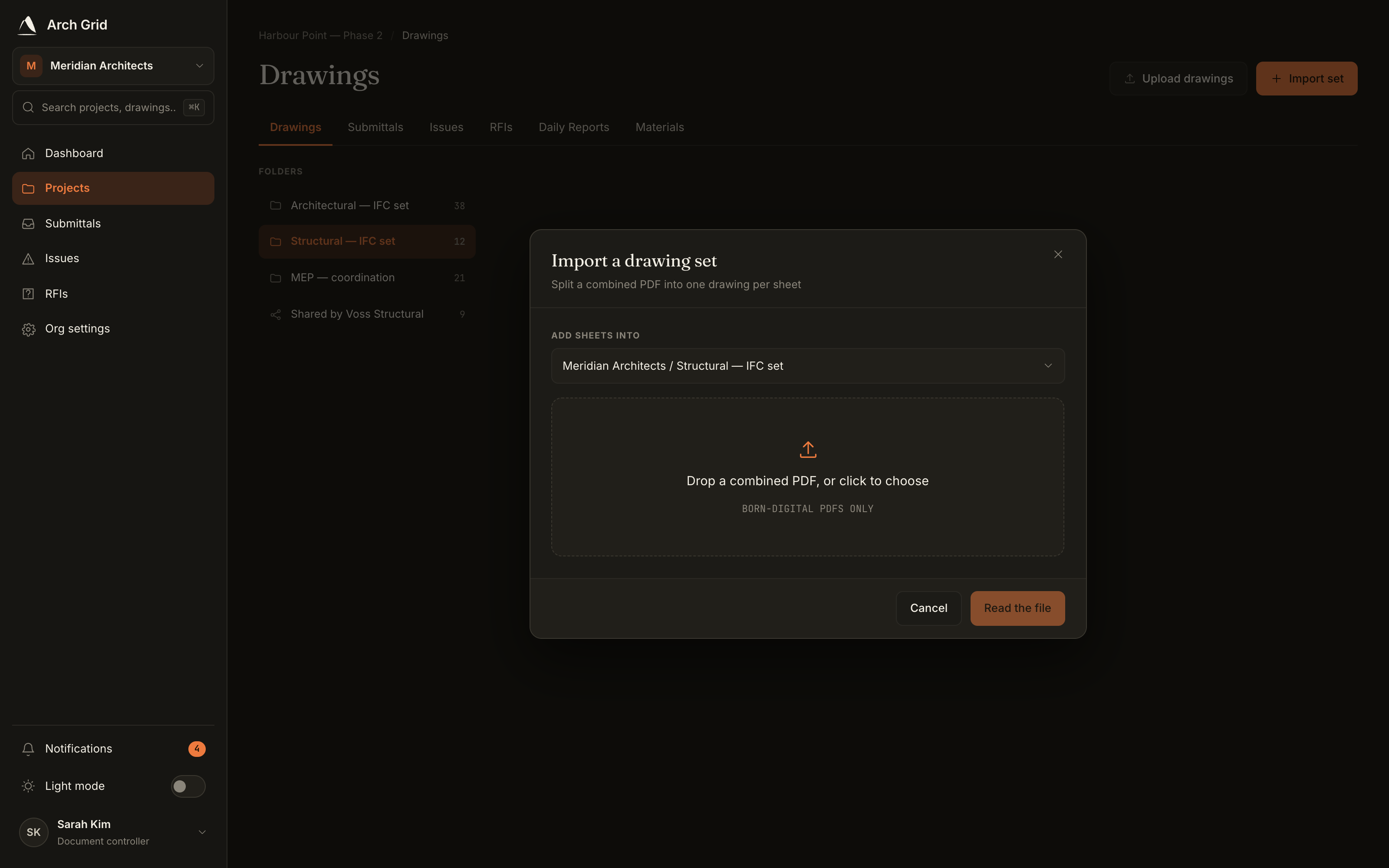
The Import set dialog. - 3
Drop your combined PDF
Drop your combined drawing-set PDF onto the box (Drop a combined PDF, or click to choose), or click to browse. There's no need to split it first.
TipBorn-digital PDFs work best. Arch Grid reads the real text in the file to find each sheet's number and title. A scanned or photographed drawing has no text layer, so it's rejected with a note to export a born-digital PDF instead. - 4
Review the detected sheets
Arch Grid reads every page and proposes one drawing per sheet, filling the Sheet number and Drawing name from each title block. Each row shows where the value came from (Title block, Check, Manual, or Duplicate).
Scan the list, fix anything flagged, resolve any duplicate sheet numbers, and drop cover or index pages you don't want as drawings.
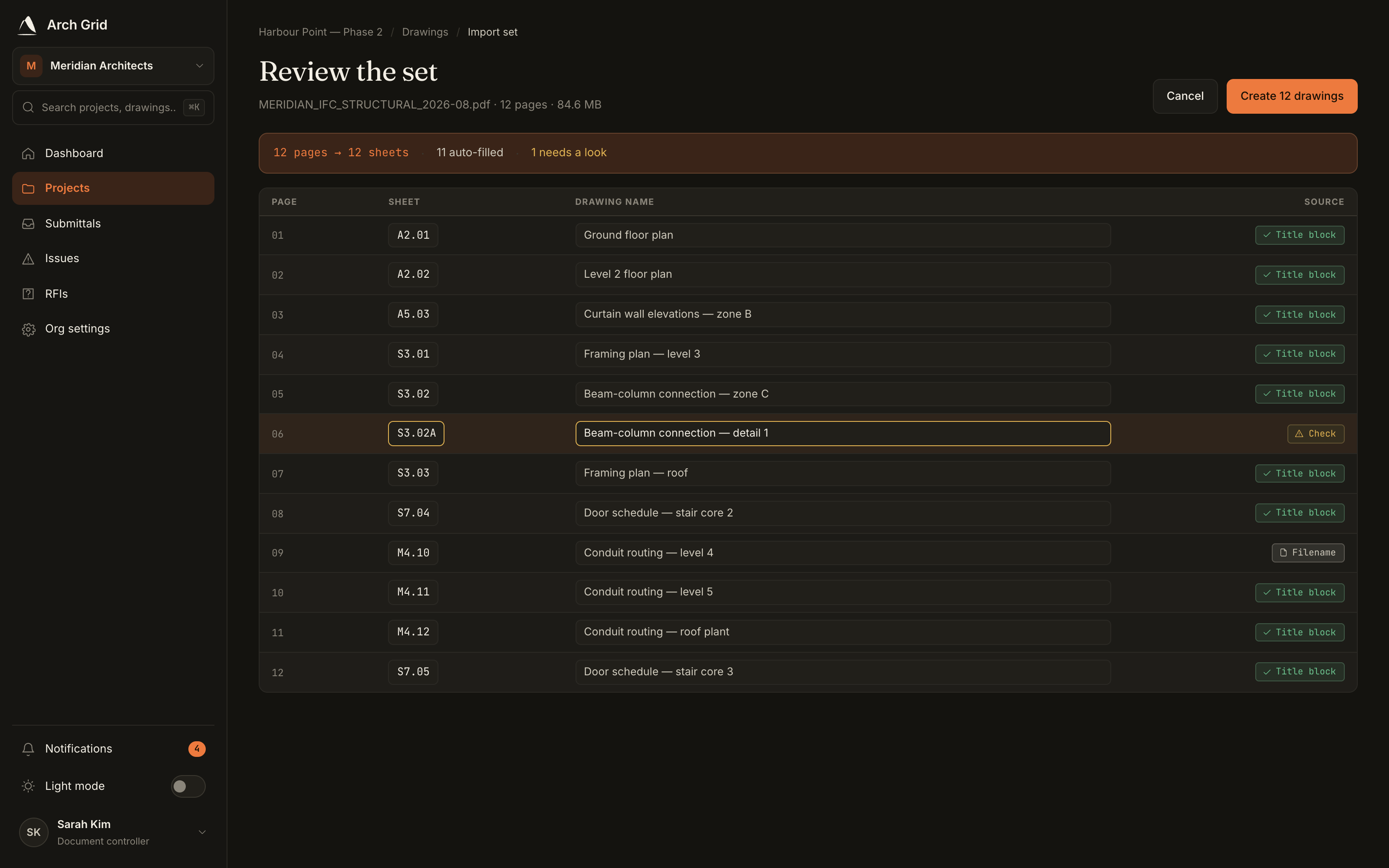
One editable row per detected sheet, before import. NoteNothing is created until you confirm. A duplicate sheet number blocks the import until you resolve it, so a mis-read title never becomes a drawing by accident. - 5
Create the drawings
When the numbers and titles look right, click Create drawings. Every page is split out losslessly into its own drawing; the original quality is preserved.
Heads upA very large set can take a minute to process, and a project is capped at 2,000 sheets. You can leave the page while it runs; the sheets appear when it's done. - 6
Your set is live
Each sheet is now its own versioned drawing in the folder. From here you can anchor a submittal, an RFI, or a site issue to a specific sheet, then ask the AI questions about the set.