Run a cross-org punch list
A cross-org punch list is how a GC issues tickets to the trade firm responsible for each one, and verifies the fix when it comes back. The same issue model powers it, with the ball-in-court pointing at a firm instead of a teammate.
- 1
Make sure trades are routed
Cross-org issues route by trade, so the project's participant firms need trade tags. Set these up in the project's participants first; each trade tag points at the firm responsible for it.
NoteIf a trade isn't routed to a firm yet, the issue is created but stays staged until you route the tag and distribute it. - 2
Create a cross-org issue
Mark up the drawing as usual, then set the scope to Cross-org. Pick the Trade (which routes it to the responsible firm) and choose a Package, which is required for cross-org issues. Click File issue; it starts as Staged.
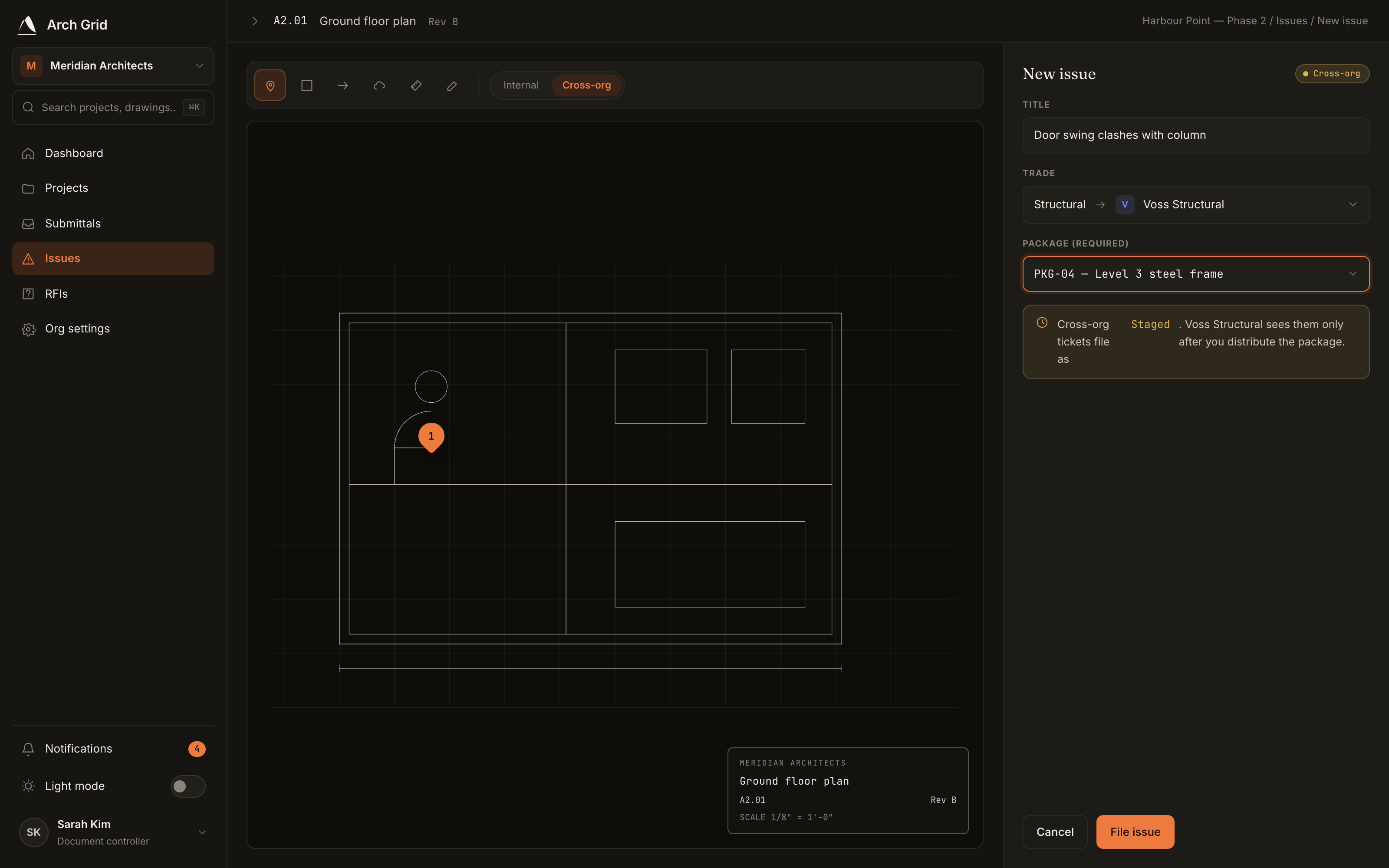
Filing a cross-org issue with a trade and package. - 3
Distribute to the trade
Staged issues aren't visible to the trade yet. From the punch list, Distribute them to hand the tickets to the responsible firm, moving them to Open.
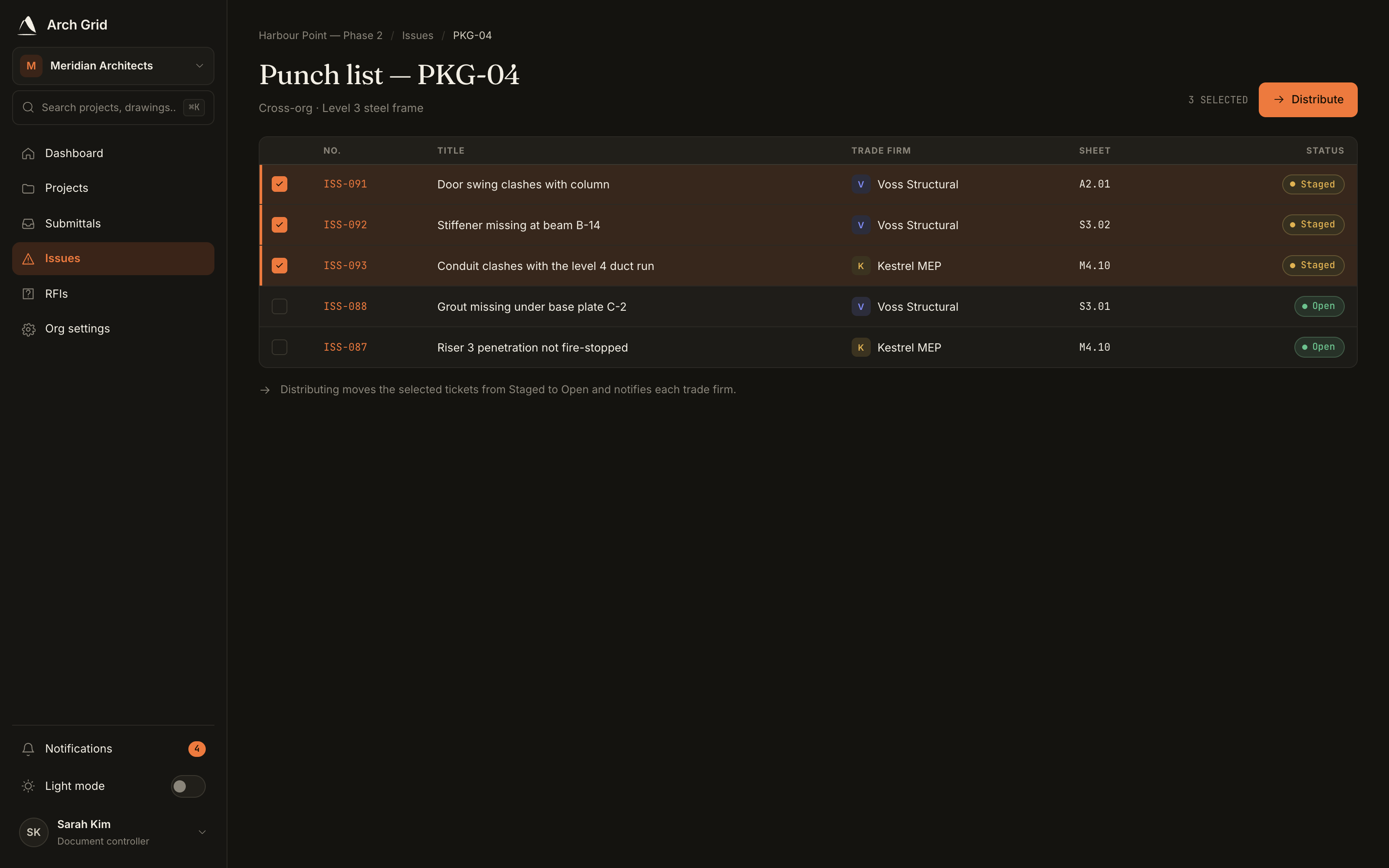
Distributing staged tickets to a trade. - 4
The trade fixes and returns it
The responsible firm sees the ticket in their court, does the work, and clicks Mark resolved. The ball moves back to you (the GC) to verify.
- 5
Verify or send it back
Review the resolved ticket and either Verify & close it, or Reject — send back to return it to the trade for more work.
Heads upRe-routing a trade tag to a different firm moves every open item in that tag, not just one issue. To move a single issue, change its tag instead.