Raise an RFI anchored to a drawing
An RFI is a formal question routed to whoever needs to answer it. Anchoring it to a region on a specific drawing version means the responder sees exactly what you're asking about.
- 1
Start a new RFI
Go to RFIs and click New RFI. Pick the project and click Open composer to start.
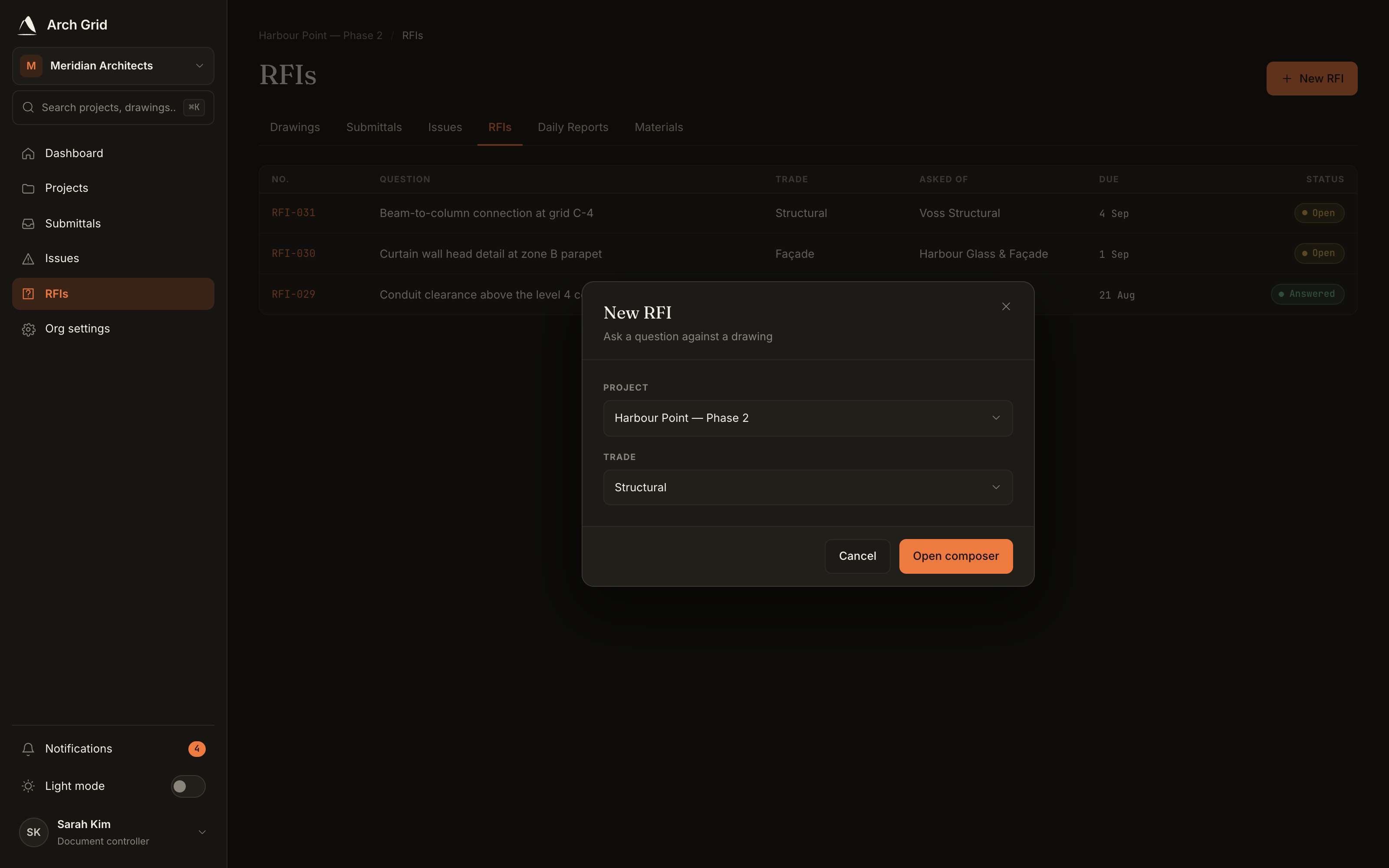
Choosing a project for the new RFI. - 2
Anchor it to a drawing region
Click Attach a drawing region and pin a box, arrow or cloud on the sheet in question. You can add several regions across sheets, each with its own note.
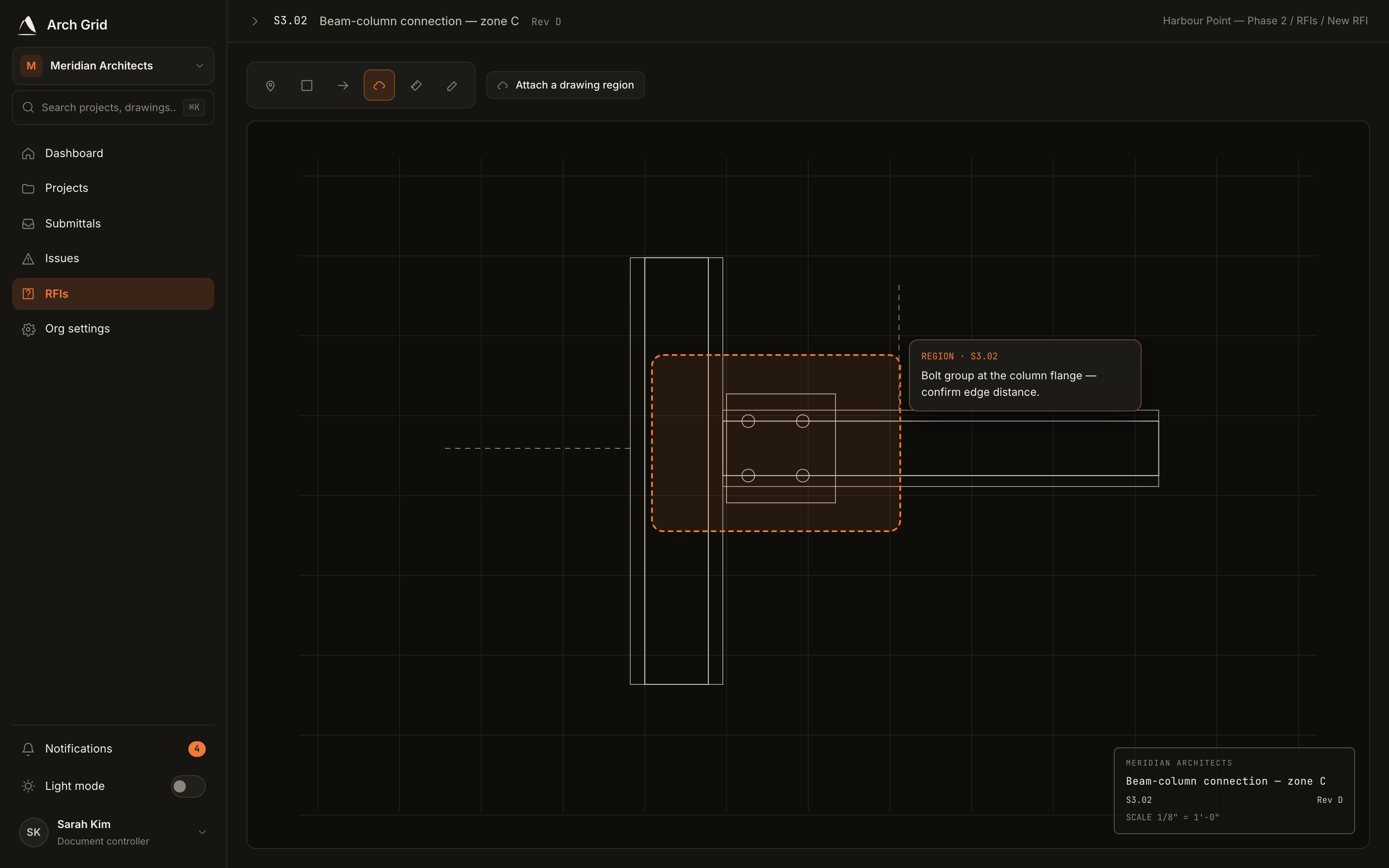
Pinning a region on a drawing. TipThe region is tied to the exact drawing version, so the question stays precise even after the sheet is revised later. - 3
Write the question
Give it a Title and a Question, and pick the Trade it relates to. You can also set a Response due by date.
- 4
Set the ball-in-court
Under Ask, choose who should answer: a firm or a person (one, not both). Optionally add people to CC so they're kept in the loop without owning the answer.
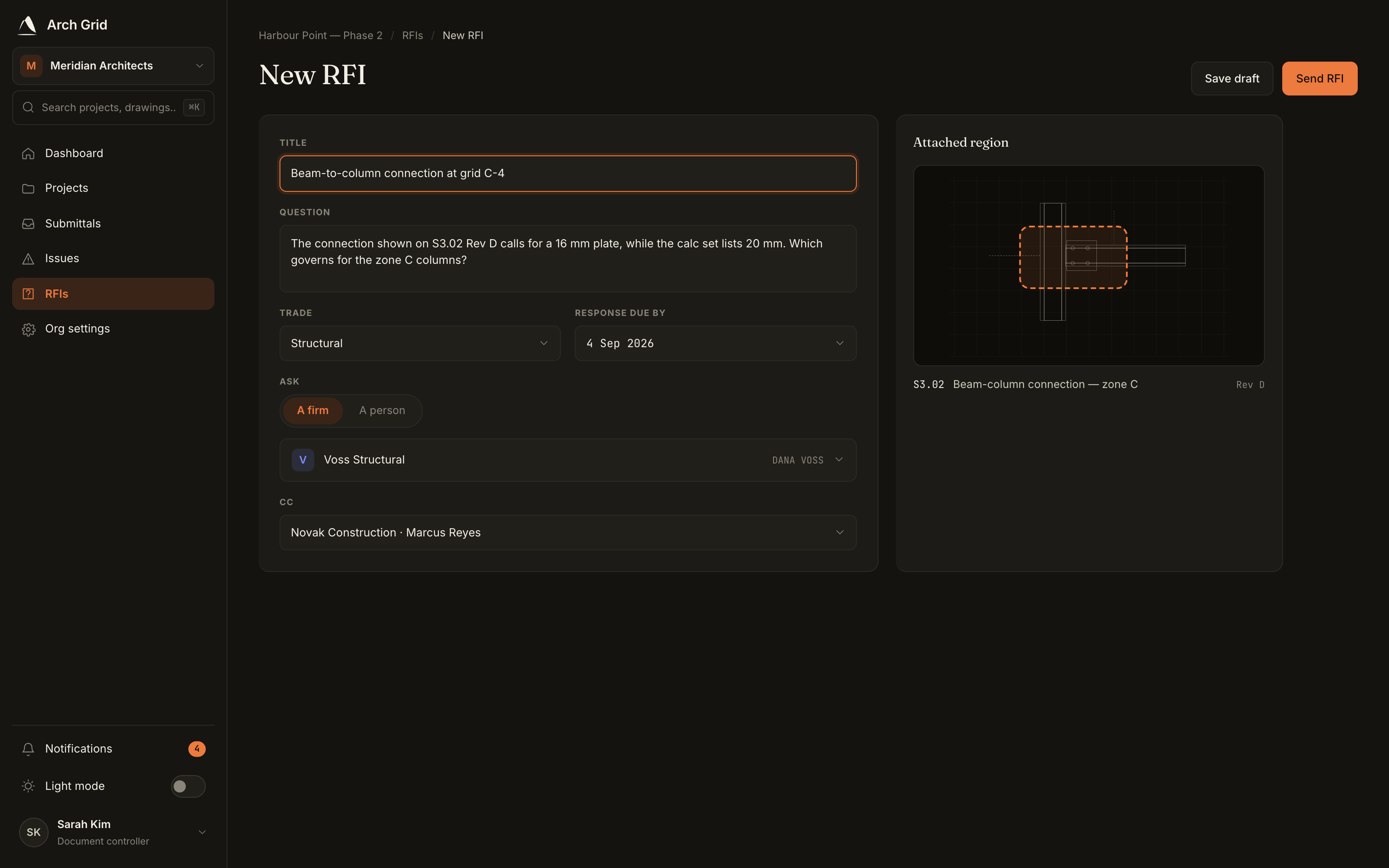
Assigning the RFI to a firm or a person. - 5
Send it
Click Send RFI. It's now in the responder's court, and you can reassign it on the detail page if it needs to go elsewhere.